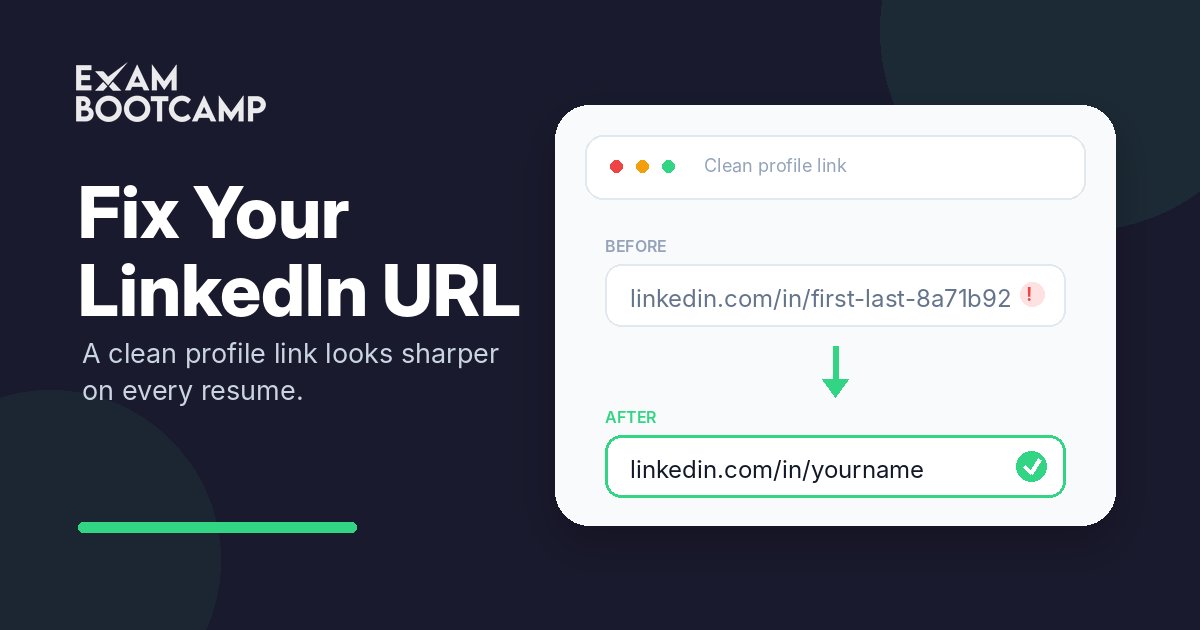
We look at a lot of resumes and profiles, and one small detail is wrong on nearly every one: the LinkedIn URL. Most people are still using the address LinkedIn assigned them the day they signed up — their name buried in a string of random numbers, letters, and slashes.
It isn't broken. It works if someone types it perfectly. It just quietly works against you, and almost nobody realizes it's happening.
Why your LinkedIn URL matters
When you hand someone your resume or business card, one of the first things they do is look you up. A clean link — linkedin.com/in/yourname — makes that effortless: easy to type, easy to remember, easy to trust. A 40-character jumble does the opposite. The reader mistypes it and lands nowhere, assumes the mistake is yours, or simply doesn't bother. You never find out you lost them.
A clean URL also travels with you. The same link sits on your resume, your business card, your email signature, and the profiles you share when you meet people — all pointing to one consistent, findable you. The default string can't do any of that, and on top of it, the messy version subtly signals that you don't sweat the details.
The LinkedIn URL errors we see most
Never touching the default. By far the most common. That auto-generated jumble tells anyone who sees it that you never bothered to clean up your own profile.
A casual handle instead of your name. "linkedin.com/in/coolguy88" might feel fun, but on anything professional it undercuts you. Your real name is the whole point — it's how people confirm they've found the right person.
Customizing it after it's already in print. The moment you set a new custom URL, the old one stops working. We see people clean up their link after handing out a stack of cards or sending out resumes — turning every one of those into a dead end. Do it first.
A name that doesn't match across your stuff. "Robert" on the resume, "Bob" in the email, a nickname in the URL. Someone trying to confirm it's all the same person hits three identities and loses confidence. Pick one version of your name and use it everywhere.
Drowning a taken name in numbers. If your exact name is claimed, don't settle for janedoe839204. Add a middle initial or a credential — janedoe-mba, j-doe — which reads cleanly instead of looking like a serial number.
The fix takes about two minutes
Open your profile and click Edit public profile & URL in the top-right corner. Edit the custom URL to your name with no spaces, then save. Capitalization doesn't matter — LinkedIn lowercases it automatically. Make this change before the link goes onto anything printed, then put the clean version in your resume header right next to your phone and email, and reuse that exact link everywhere else.
Once your profile's clean, what comes next?
Fixing your LinkedIn URL is a two-minute win you only make once. The harder tests come right after it: the resume someone reads before they decide to call, and the interview that decides the offer. That's where we come in. Our Resume Prep gets your bullet points sharpened by working professionals with a 72-hour turnaround, and our Mock Interview gives you a full hour of practice with real-time feedback. Clean up the URL today — then let's make the resume and the interview just as sharp.